
Employee leave calendar

See employee leave and team availability in one shared calendar.

Awayly gives UK teams a clear employee leave calendar for approved annual leave and other absences, connected to the request and approval process.

No card required Unlimited employees £14/month flat price
Team leave calendar
Who is away? See upcoming employee leave and absence in one view.
EmployeesUnlimited
ManagersUnlimited
Holiday requests Leave approvals Holiday allowances Team availability Working patterns Absence tracking
A calendar connected to leave management

Do more than copy approved holidays into a shared calendar.

A leave calendar is most useful when it is connected to the request that created the booking and the employee record behind it.

Awayly keeps approved leave visible in the team calendar while managers handle requests and admins maintain the rules in the same system.

Why standalone calendars fall short

A calendar can show dates but not the full leave context.

01

No allowance data

A calendar does not tell you how much holiday the employee has left.

02

No approval workflow

Requests still need to be handled somewhere else.

03

Pending leave is separate

Managers may not see requests until they are confirmed.

04

Manual duplication

Approved leave must be copied into the calendar by hand.

Employee visibility

See upcoming team leave alongside your own requests.

Employees can understand team availability while still seeing their own balance and request status in Awayly.
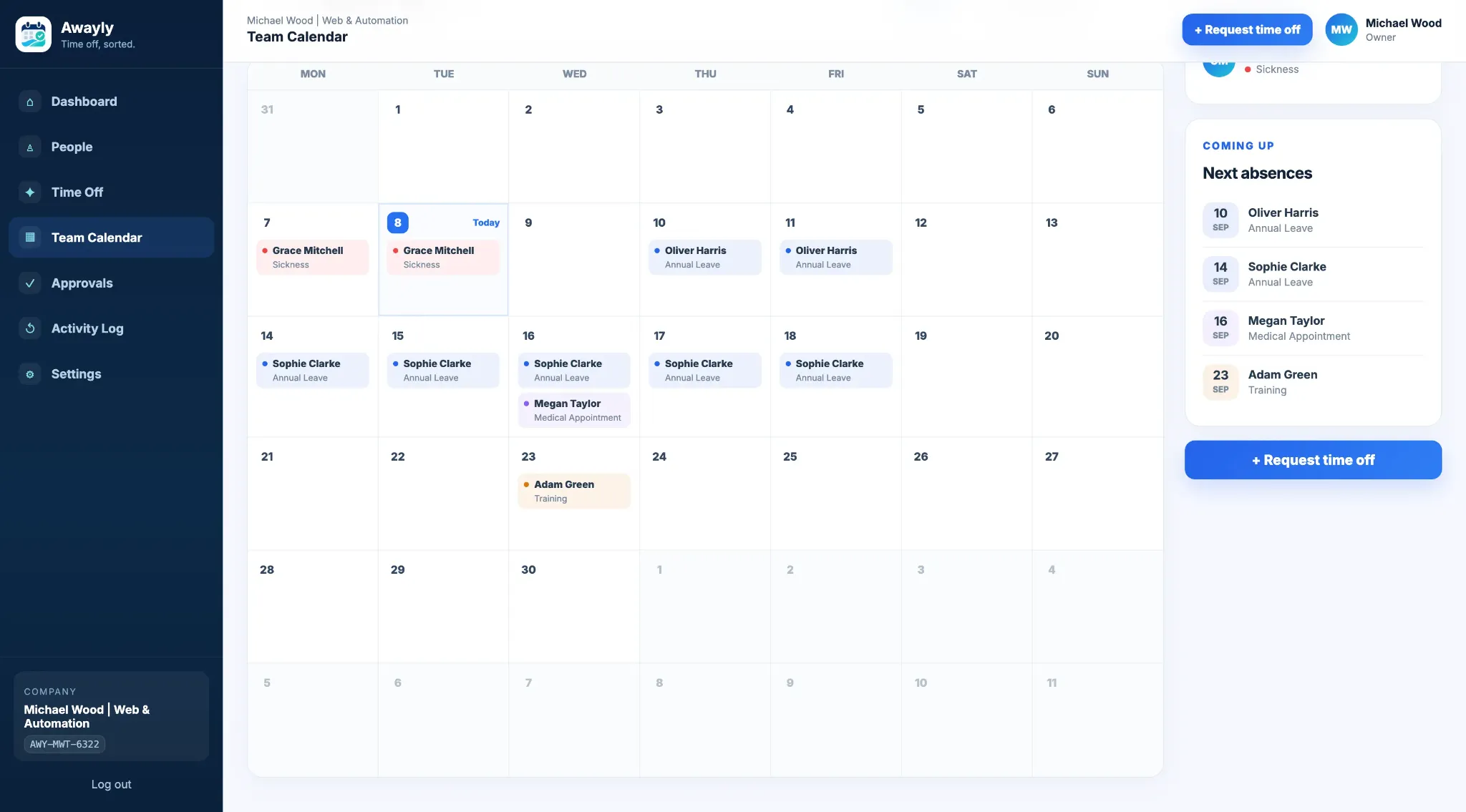
  • Team leave view
  • Own balance
  • Upcoming leave
  • Request status
  • Mobile-friendly access
Explore employee holiday tracking
Awayly employee leave calendar
Manager planning

Use the leave calendar before approving the next request.

Managers can use team availability and potential clash information to make better-informed leave decisions.
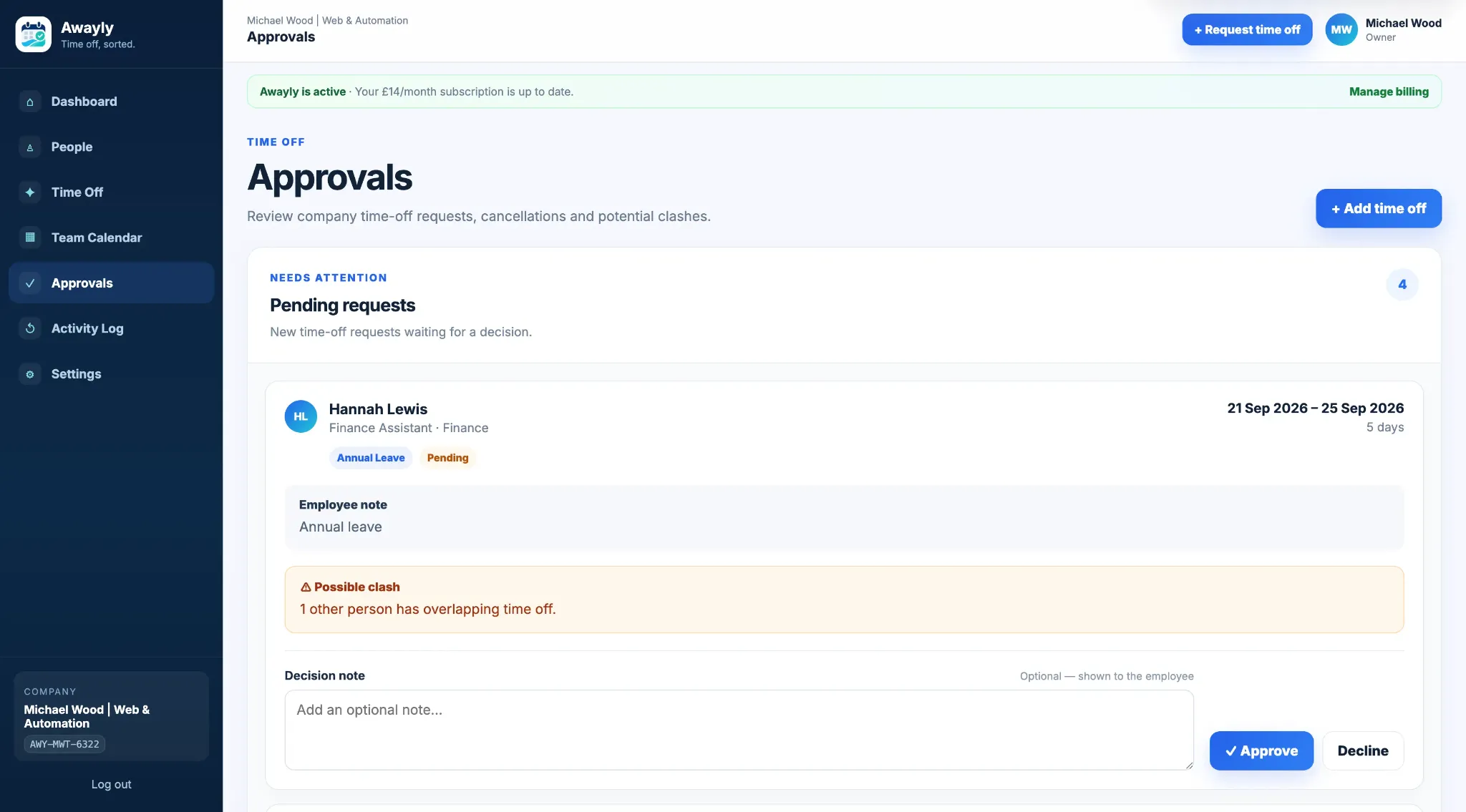
  • Approved absences
  • Department filtering
  • Potential clashes
  • Pending approvals
  • Upcoming availability
Awayly employee leave approval and clash view
Calendar setup

Keep leave types and working patterns connected to the calendar.

Admins control the time-off types and employee setup behind the leave records shown across the team.
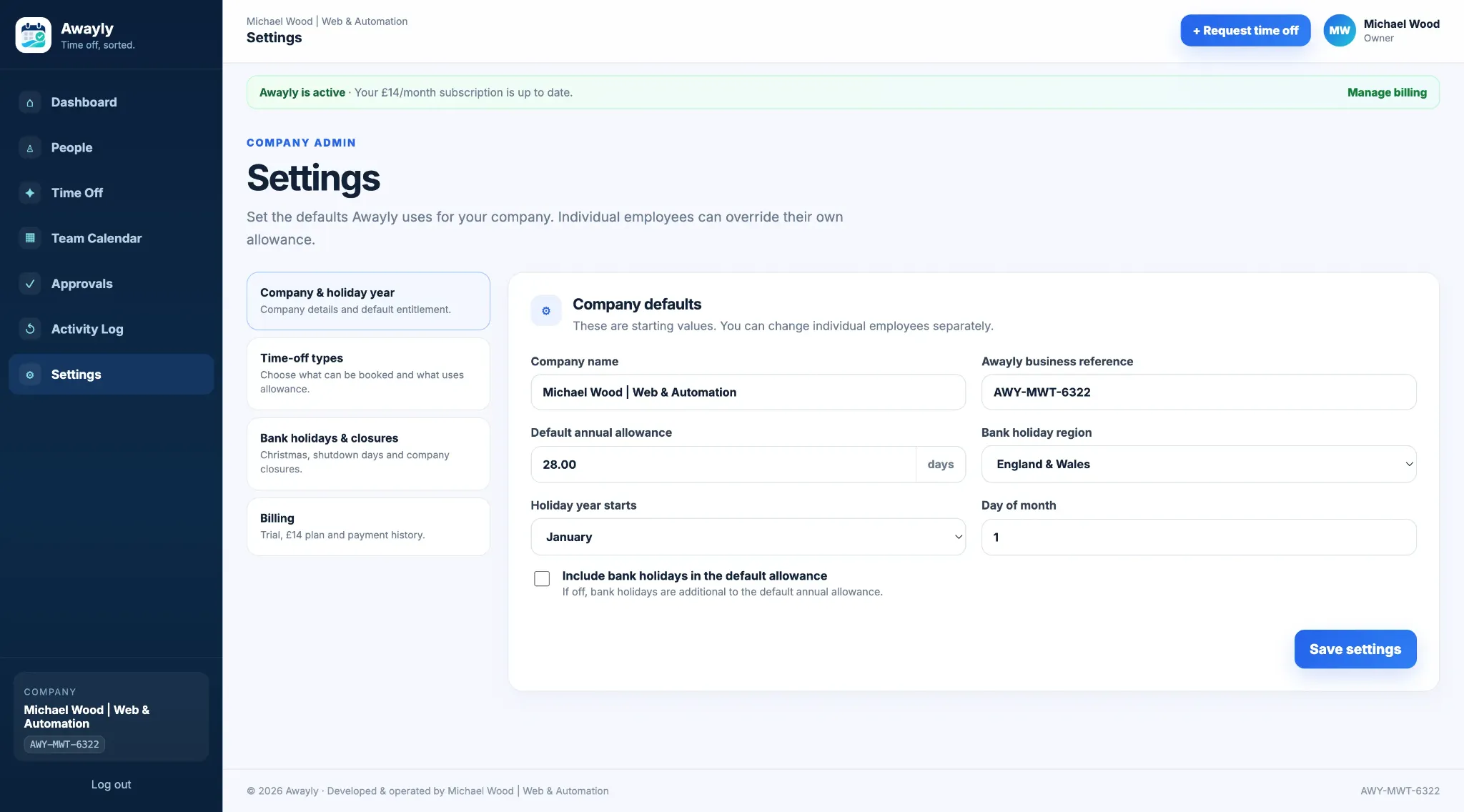
  • Custom time-off types
  • Working patterns
  • Departments
  • Roles and permissions
  • Holiday settings
Awayly employee leave calendar settings
More than annual leave

Show different approved absences in the same team view.

The team calendar can provide a broader view of availability than a holiday-only spreadsheet.

Annual leave Sickness Appointments Training Unpaid leave Custom time off
Different working weeks

Understand availability in the context of working patterns.

Employee working days can be stored so the wider leave record reflects the team’s real schedule.

Mon Tue Wed Thu Fri Sat Sun
Manual process vs Awayly

Connect the employee leave calendar to the process behind it.

Task Manual approach Awayly
Request leave Email/message Request in Awayly
Approve leave Separate decision Approval workflow
Add to calendar Manual entry Connected team view
Check overlap Scan calendar Potential clash context
Check balance Open spreadsheet Allowance visible
Who this is for

For teams that need a clearer view of upcoming employee availability.

01

Managers

See approved leave before making the next decision.

02

Employees

Understand team availability while planning their own leave.

03

Growing teams

Keep one calendar connected to the leave workflow.

Simple pricing

£14/month for the whole company.

Unlimited employees, unlimited managers and current Awayly features are included. Start with a 14-day free trial and no card required.

£14/month
Start free trial
Employee leave calendar FAQs

Common questions about Awayly.

Does Awayly include an employee leave calendar?

Yes. Awayly includes a team calendar for approved absences.

Can the calendar show more than annual leave?

Yes. Different approved time-off types can be shown according to the company setup.

Can managers filter the calendar?

Awayly supports department filtering in the team calendar.

Can employees see the team calendar?

Employees can see relevant team availability according to the product permissions.

Is the calendar available on mobile?

Yes. Awayly is designed for mobile as well as desktop use.

How much does Awayly cost?

Awayly costs £14 per month for the whole company.

Keep availability visible

Connect your employee leave calendar to requests, approvals and balances.

Start Awayly free for 14 days. No card required. £14/month for the whole company afterwards.

Start 14-day free trial See how it works