
How Awayly works
From staff holiday spreadsheet to one simple leave system.
Set up your company, add your team and start managing annual leave, sickness and other absences without a long implementation project.
No card required
£20/month for the company
Unlimited employees
Built to be useful quickly
Awayly turns leave management into a clear day-to-day process.
Many small businesses start with a staff holiday spreadsheet, email requests, shared calendars or messages to managers. That can work for a while, but it becomes harder to keep balances, approvals and team availability consistent as the business grows.
Awayly gives employees a proper way to request time off and gives managers one place to review requests, record absences and see who is away.
01
Create your workspace
Create your Awayly company and start the free trial.
Sign up with your company name and owner account. Your Awayly workspace is created immediately and the 14-day free trial begins without asking for a payment card.
- 14-day free trial
- No card required at signup
- Owner account created straight away
- Access to current Awayly features
Workspace setup
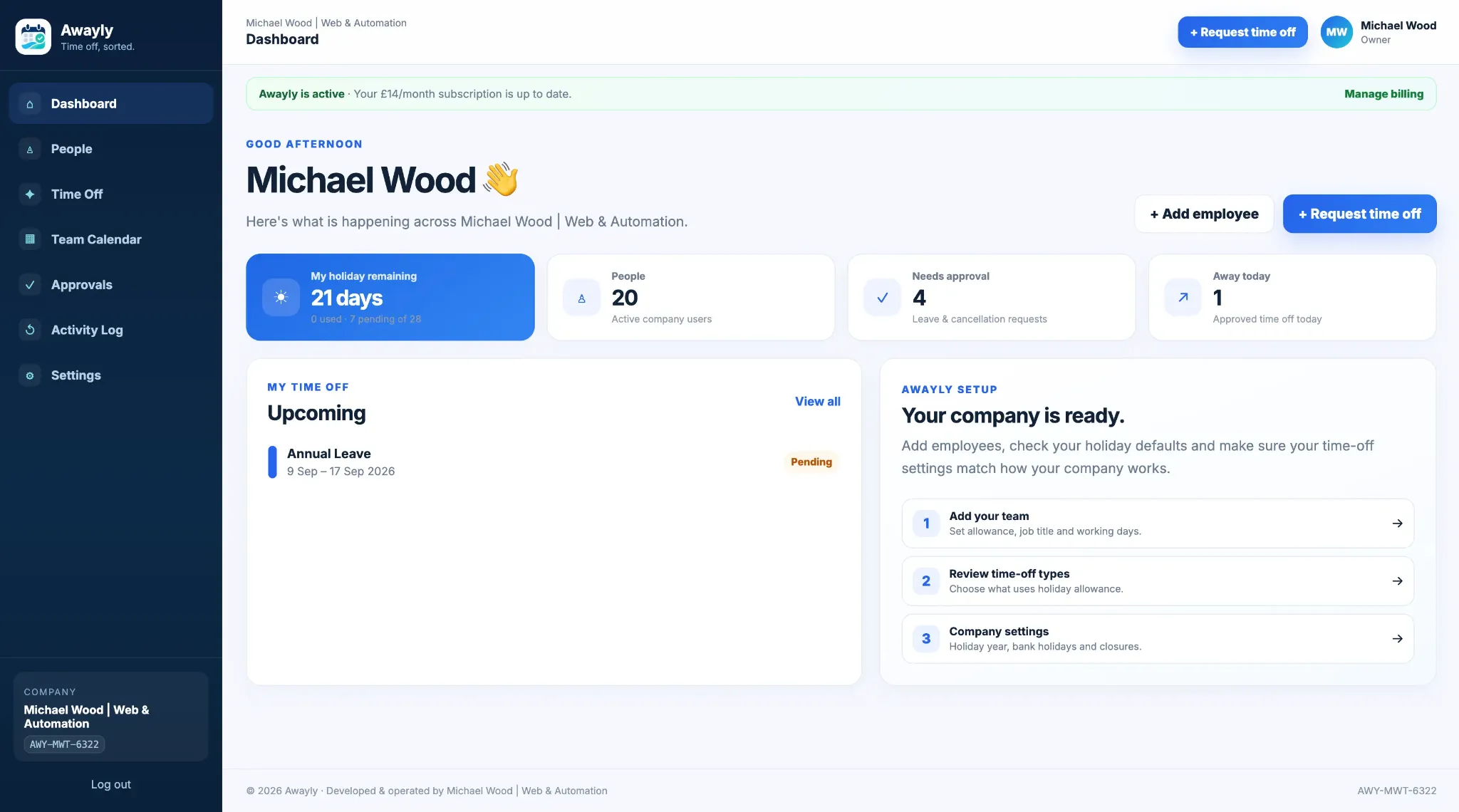
Your company is ready.
1
Add your team
2
Review time-off types
3
Check company settings
02
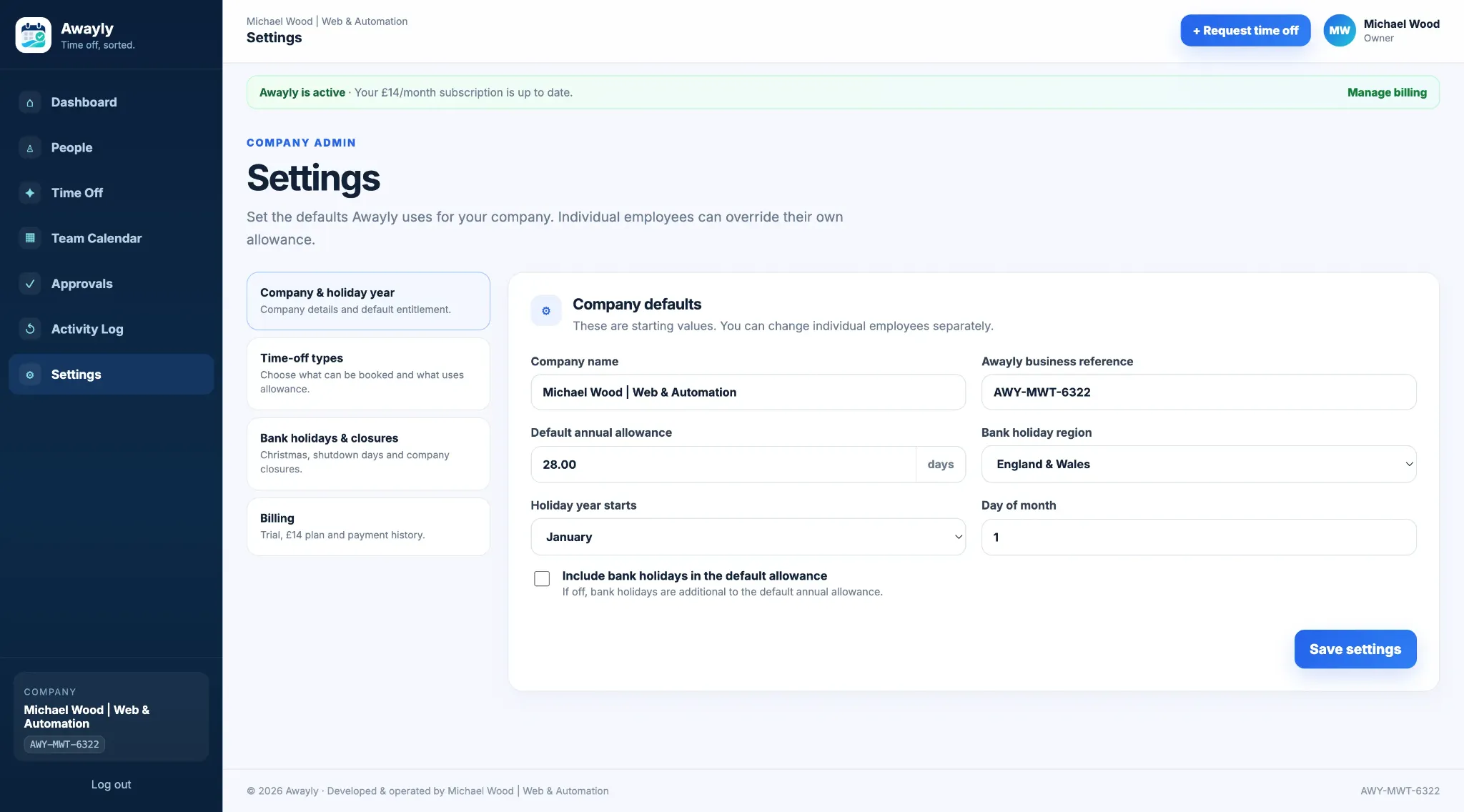
Set your rules
Configure holiday allowances around the way your company works.
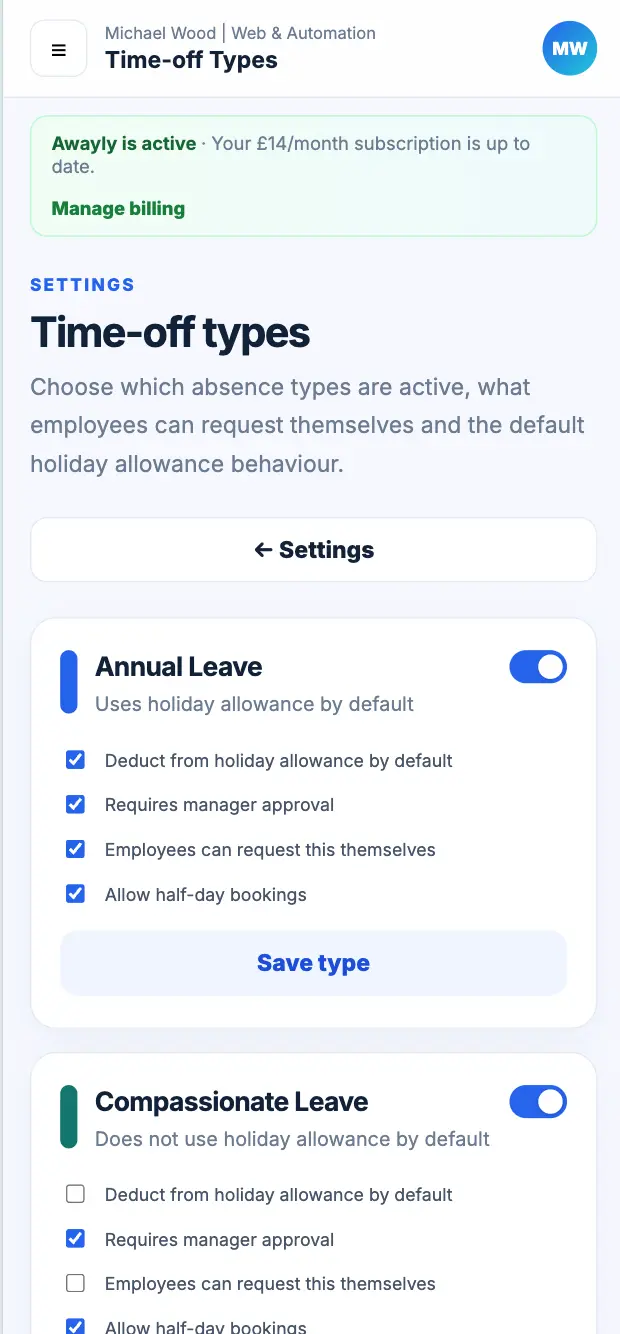
Choose your holiday year, default annual leave allowance, bank holiday settings and the time-off types your company uses. Awayly is designed to fit the business rather than force every company into one leave policy.
- Choose your holiday year
- Set default holiday allowance
- Configure bank holiday rules
- Create custom time-off types
03
Add your people
Add employees, managers, departments and working patterns.
Set each person up with the right role and working week. Individual holiday allowance overrides can be used where someone has a different entitlement from the company default.
- Employees, managers and admins
- Departments and job information
- Individual working days
- Holiday allowance overrides
People
MW
Michael Wood
Owner
28 days
CH
Chloe Wood
Manager
28 days
JS
Jamie Smith
Employee
25 days
04
Employees request leave
Give employees a simple online holiday request system.
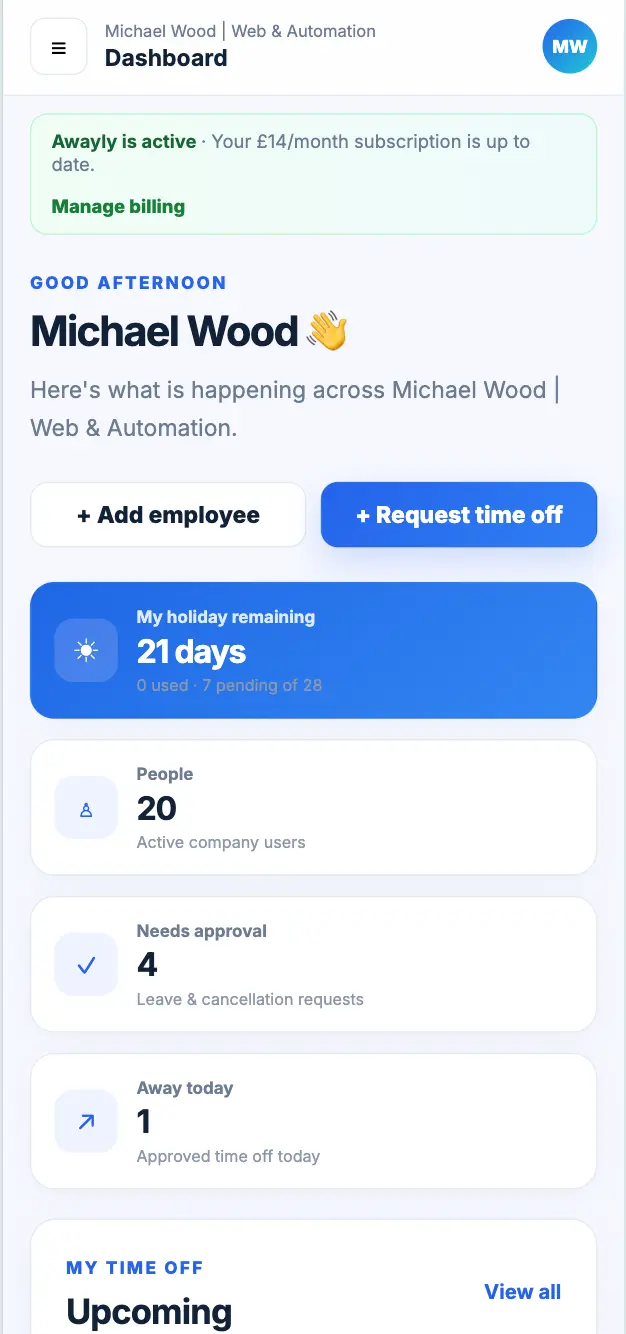
Employees can request annual leave from desktop or mobile, see their own allowance and follow the status of pending, approved and declined requests.
- Request annual leave quickly
- See available and pending allowance
- Half-day requests where enabled
- Clear request history
05
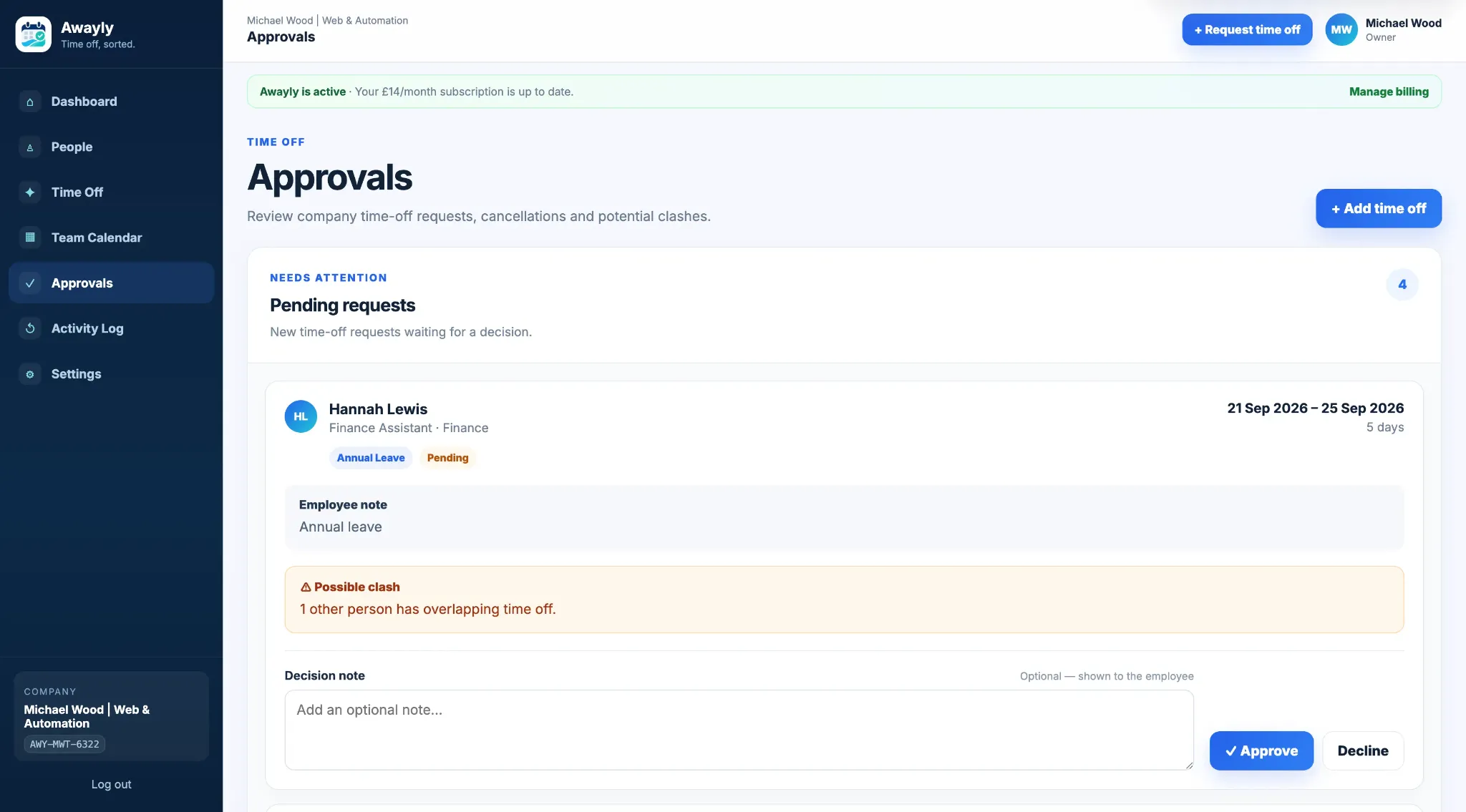
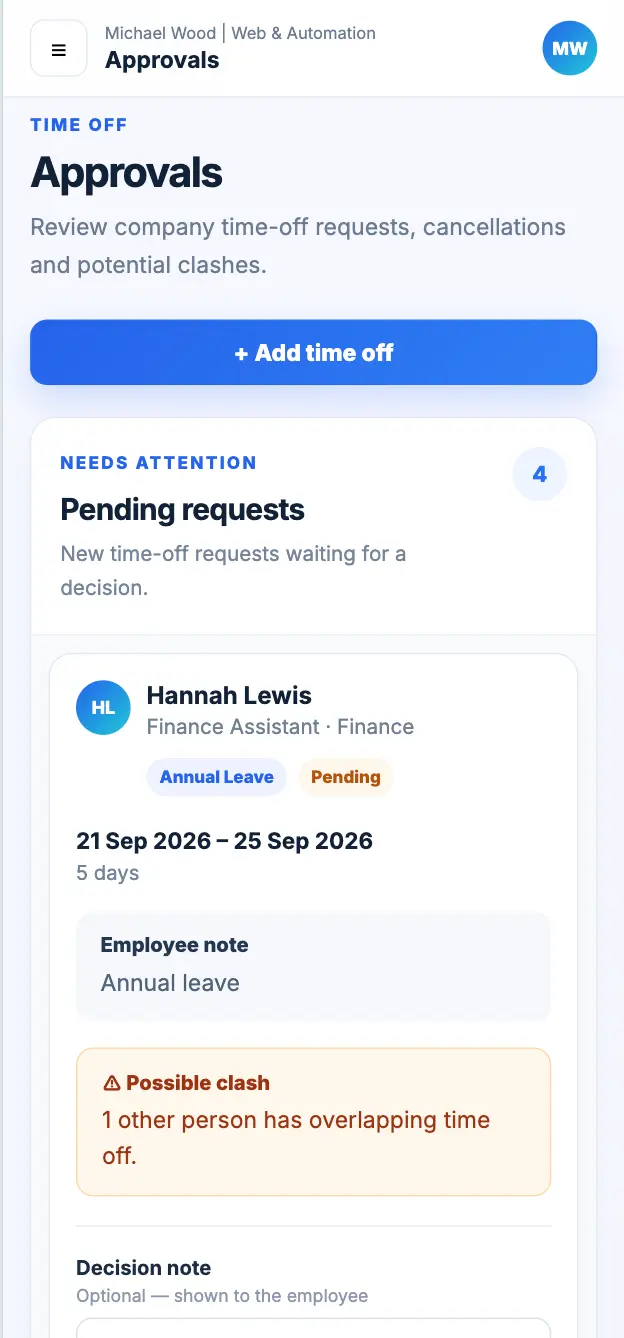
Managers review requests
Approve annual leave with the information needed to make a decision.
Pending requests bring the key details together. Managers can review dates, notes, allowance impact and potential clashes before approving or declining.
- Potential clash warnings
- Approval and decline notes
- Request context in one place
- Cancellation requests handled too
06
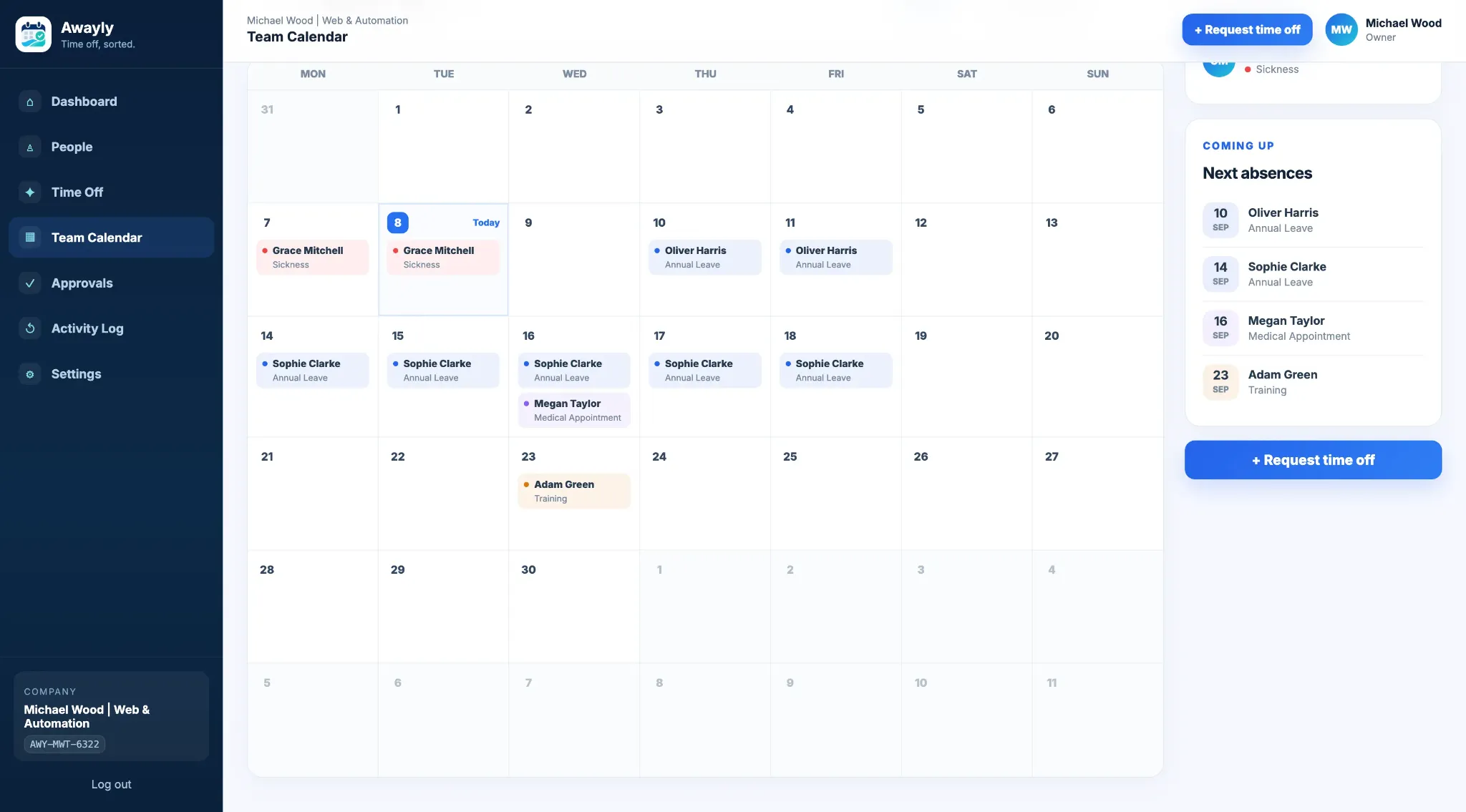
Keep the team informed
Keep holiday, sickness and team availability visible.
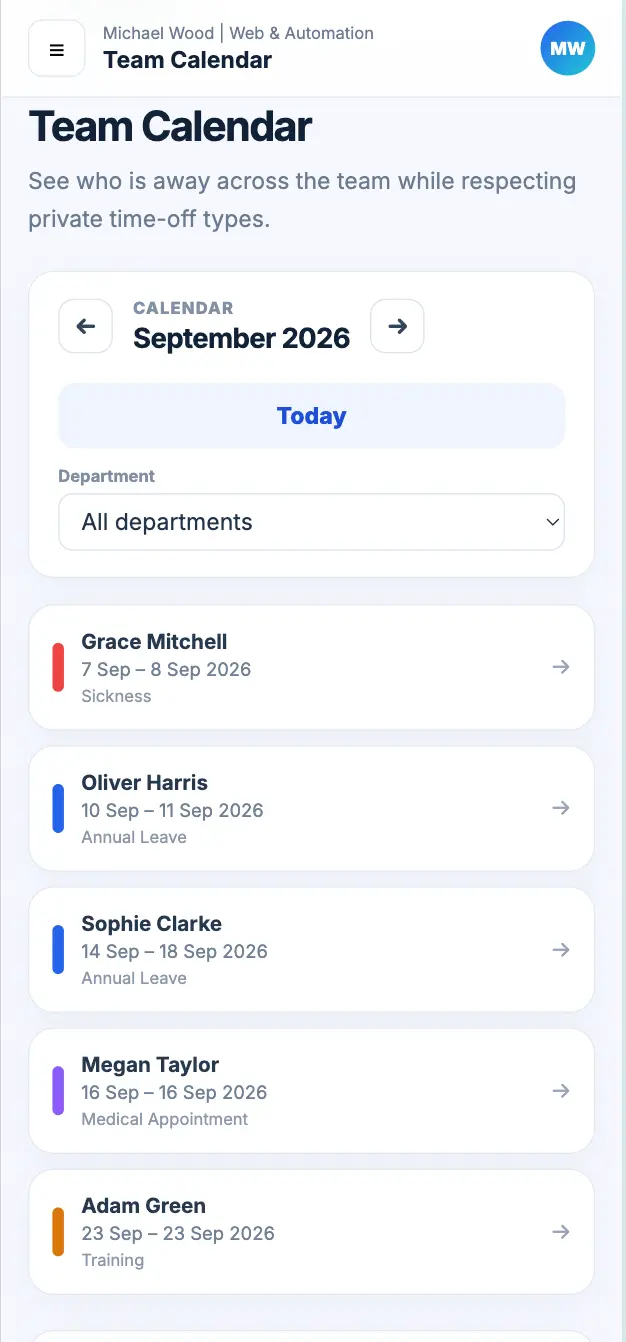
Approved absences appear in the team calendar so managers and employees can see what is coming up. Email notifications and the activity log help keep important changes visible without manual reminders.
- Shared team calendar
- Annual leave and other absence types
- Email notifications
- Activity history for important changes
Clear for everyone
Employees get a simple request process. Managers get a clearer view of the team.
Request leave and know where you stand.
Employees can see their own holiday allowance, submit requests and follow the status of time off without asking a manager for every update.
- Own holiday balance
- Upcoming time off
- Pending requests
- Request history
Make leave decisions with better context.
Managers can review requests, spot possible overlaps and keep an eye on team availability without maintaining a separate staff holiday planner.
- Pending approvals
- Potential clash warnings
- Team calendar
- Absence visibility
Keep company leave rules under control.
Owners and admins manage people, holiday settings, time-off types and access rules so the system matches how the company wants leave to work.
- Holiday year settings
- Time-off types
- Working patterns
- Roles and permissions
More than holiday requests
Use the same system for annual leave and other employee absences.
Awayly lets company admins decide how different time-off types should behave. Annual leave can deduct from holiday allowance, while sickness, appointments, training or other custom absence types can be handled differently.
Annual leave
Sickness
Appointments
Training
Unpaid leave
Custom types
Before and after Awayly
A simpler staff holiday management process.
Before
Spreadsheets, emails and messages
- Requests arrive in different places
- Balances need manual updates
- Managers check calendars for clashes
- Employees ask for request updates
- Sickness may be tracked separately
With Awayly
One employee leave workflow
- Requests submitted in Awayly
- Allowances kept together
- Potential clashes shown to managers
- Employees can see request status
- Holiday and absence in one system
Simple pricing
Set it up for the whole company for £20/month.
No per-user pricing, no setup fee and no separate feature tier. Start with a 14-day free trial and add your team without increasing the monthly price.
£
14
/month
for the whole company
Start free trial
→
How Awayly works — FAQs
Questions about setup and everyday use.
How quickly can we set up Awayly?
Awayly is designed to be useful quickly. Create your company, set your holiday rules, add your team and you can start managing requests without a long implementation project.
Do employees need training to use Awayly?
Awayly is designed to be straightforward. Employees can request time off, see their own allowance and track request status from phone or desktop.
Can managers see possible holiday clashes?
Yes. Managers can see request dates, notes, allowance impact and potential clashes before making a decision.
Can Awayly manage sickness as well as annual leave?
Yes. Company admins can configure sickness, appointments, unpaid leave, training and other custom time-off types alongside annual leave.
Can different employees have different holiday allowances?
Yes. Awayly supports individual holiday allowance overrides and working patterns where needed.
How much does Awayly cost after the free trial?
Awayly costs £20 per month for the whole company, with unlimited employees, managers, requests and current features included.
Ready to replace the spreadsheet?
Set up Awayly and start managing time off properly.
Start free for 14 days. No card required. £20/month for the whole company afterwards.